

Skip to content
PilotDuo

Tasks and CRM for teams of 1 to 10

Everyone knows what to do. You stop chasing.

No more instructions lost in WhatsApp, no more “did you see my message?”. In PilotDuo, every task has an owner and a date, every client a next follow-up, and each morning you see what is waiting for your decision. Tasks, team and clients in one subscription, on the web, iPhone and Android.

Free for one project, no credit card needed. On the web, the App Store and Google Play.

14-day free trial of the Team plan: all of PilotDuo for up to five people, no credit card needed.

Create my free workspace

Download on the App StoreGet it on Google Play

On the next screen, choose “Create my workspace”. The same account on computer, iPhone, iPad and Android.

  • Web, iPhone, iPad, Android
  • One price for the team, not per person
  • Ten languages
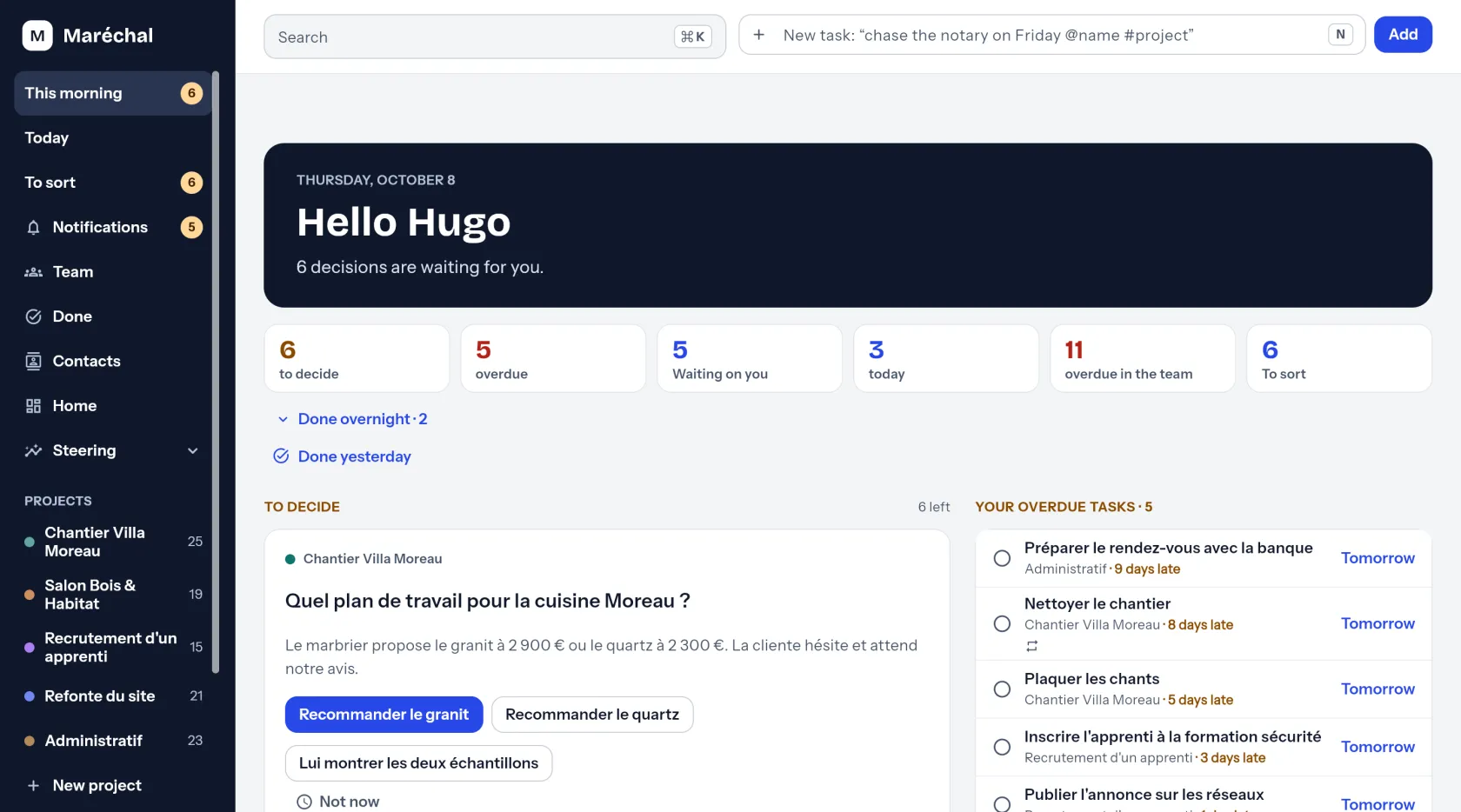
The PilotDuo “Today” screen: decisions to make, late tasks and what the team is waiting for.
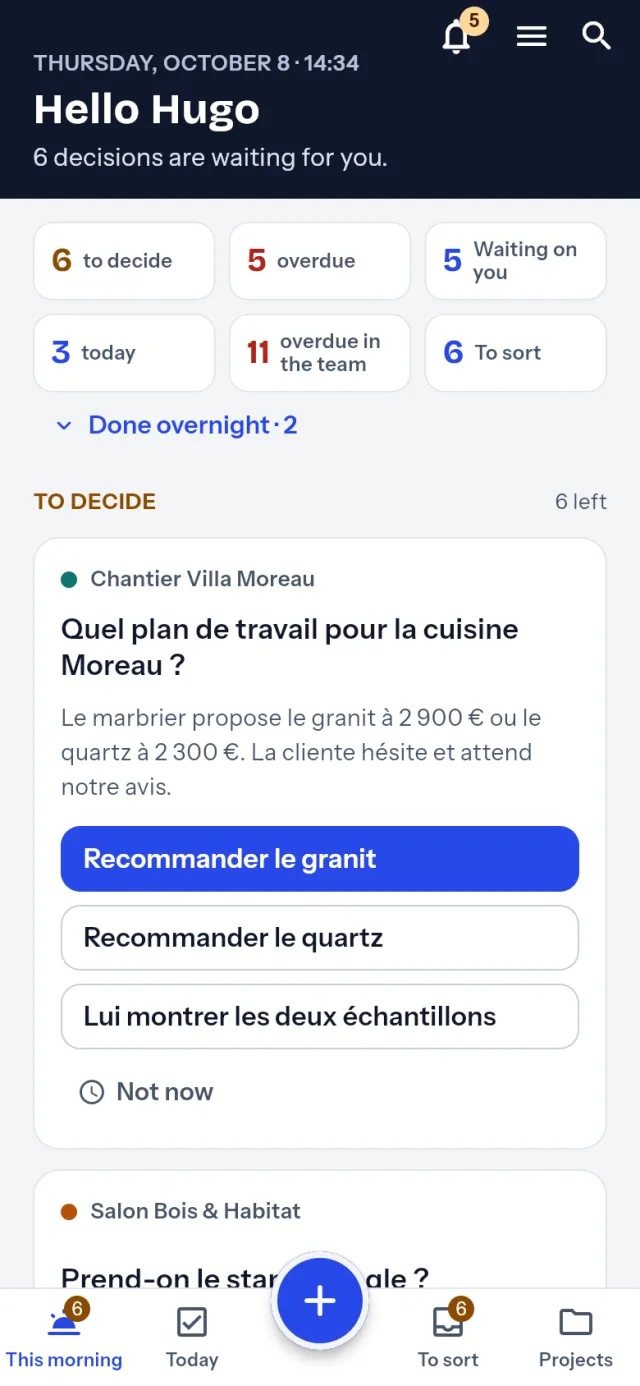
The same screen on a phone.

From day one

What you do with it, day to day.

The screens below are from the app itself, with an invented company: a joinery of five people.

The app is shown in English. The company and its data are invented, and written in French.

Every morning, what is waiting for your decision.

A list keeps growing without ever telling you where to start. The Today screen opens on what matters: decisions to make, what you are late on, what the team expects from you. Each decision says what it is holding up: “2 tasks and Tom are waiting, for 4 days”. On your phone, a single summary in the morning; for the rest of the day, only when someone assigns you a task or mentions you.
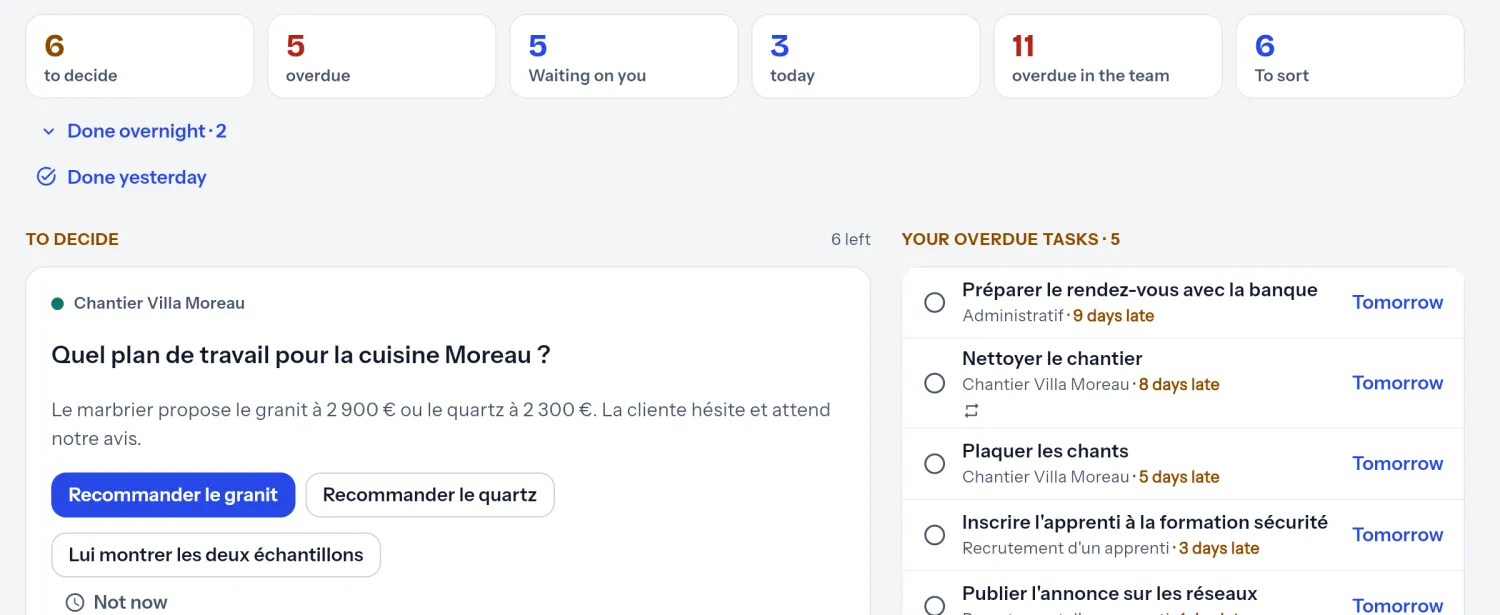
The PilotDuo “Today” screen: decisions to make, late tasks and what the team is waiting for.

One sentence, and the task is filed.

Write “Tom orders the handles on Friday”. PilotDuo understands the person, the date and the job. You correct it with one tap if needed. On site, dictate it.

Your clients, next to your tasks.

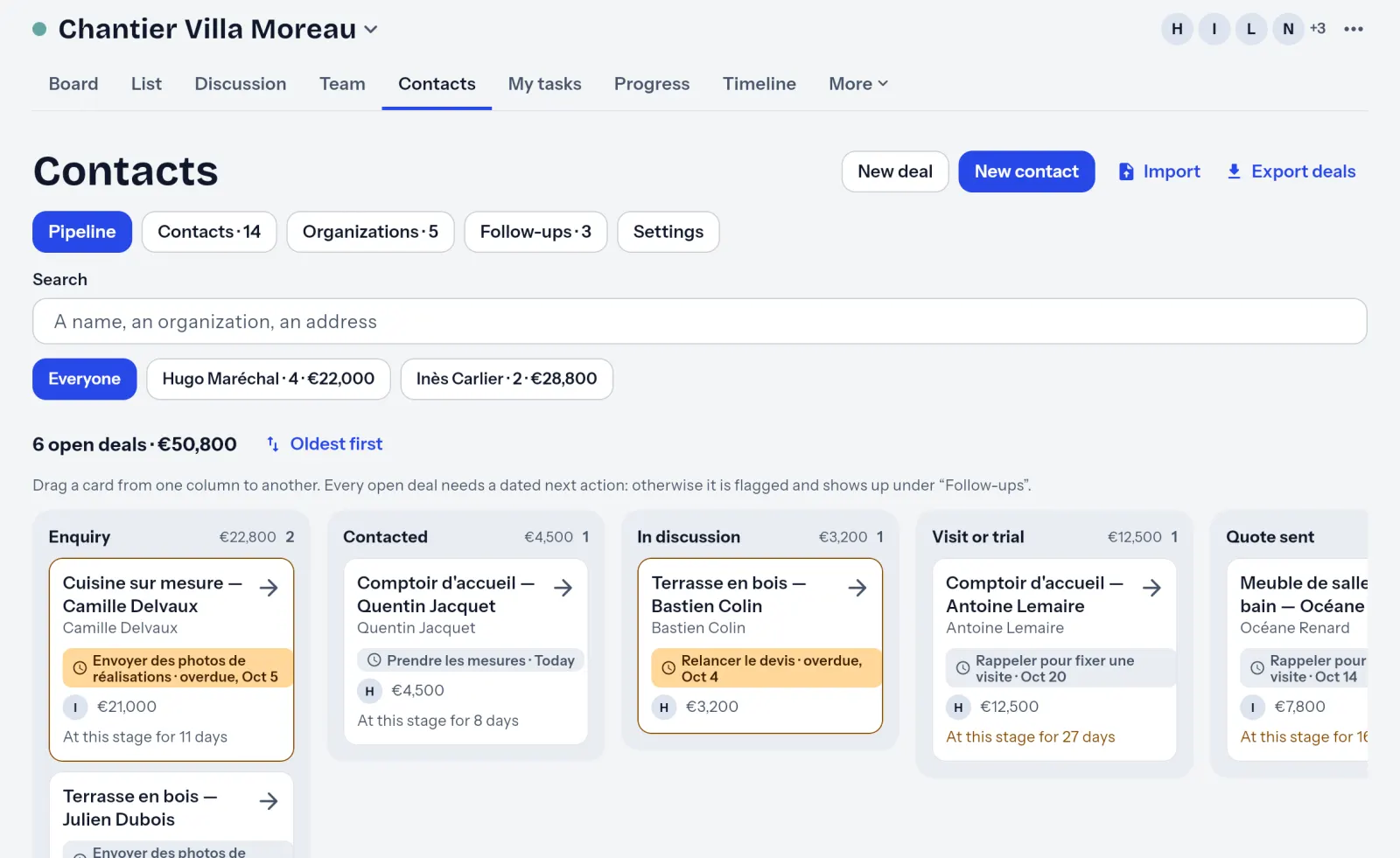
Your address book, your open deals and the next follow-up for each. A deal with no next step comes back up on its own, and you write to the client from their record.

The open deals of a job, sorted by stage, each with its next step.

Your team, without a status meeting.

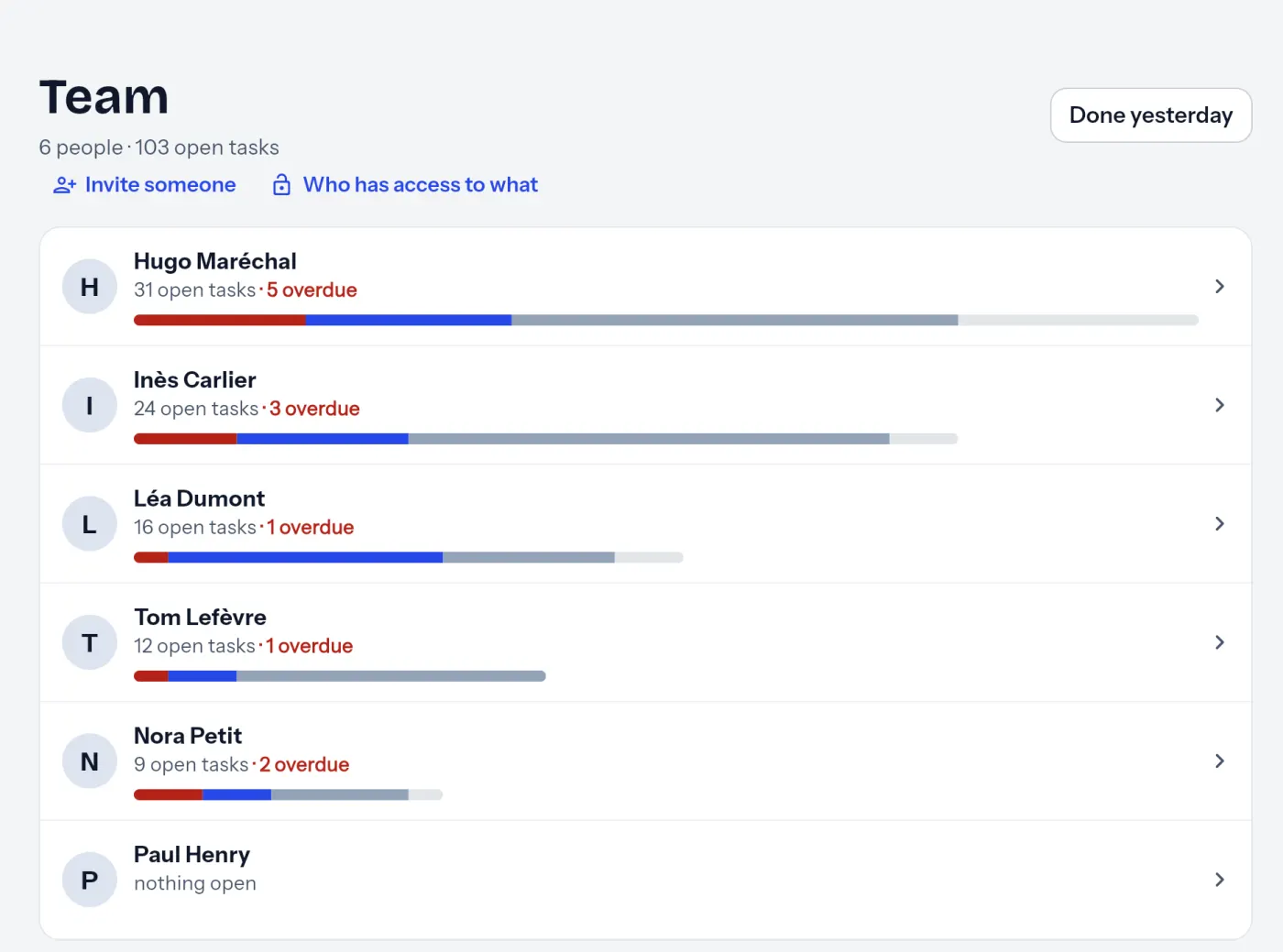
Who is doing what, who is late, everyone’s workload. Simple roles, invited readers who can see without changing anything, such as a client or an accountant, and free contributors who tick off and comment.

The workload of each person in the team, with late tasks.

Photos, documents, template jobs.

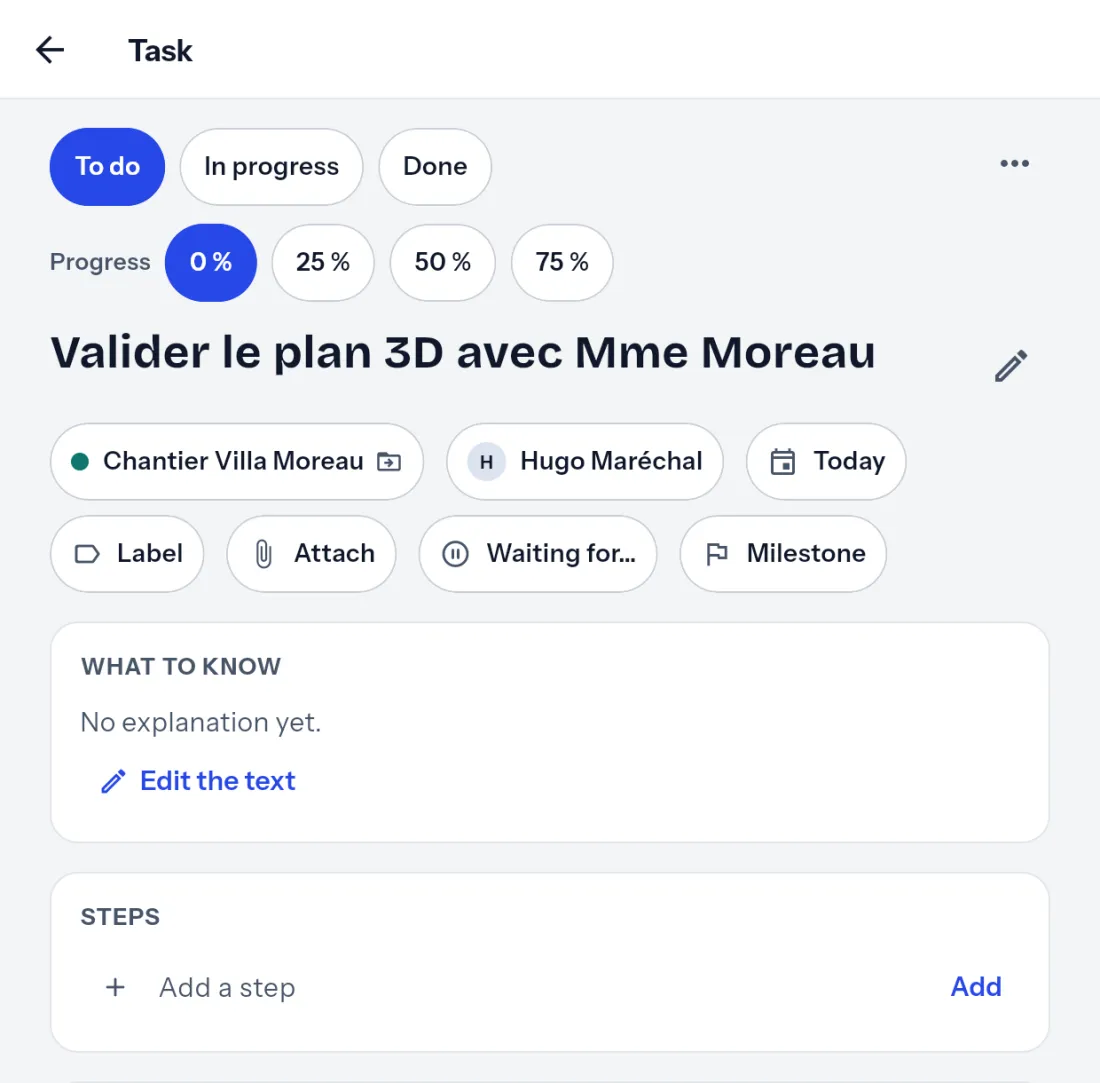
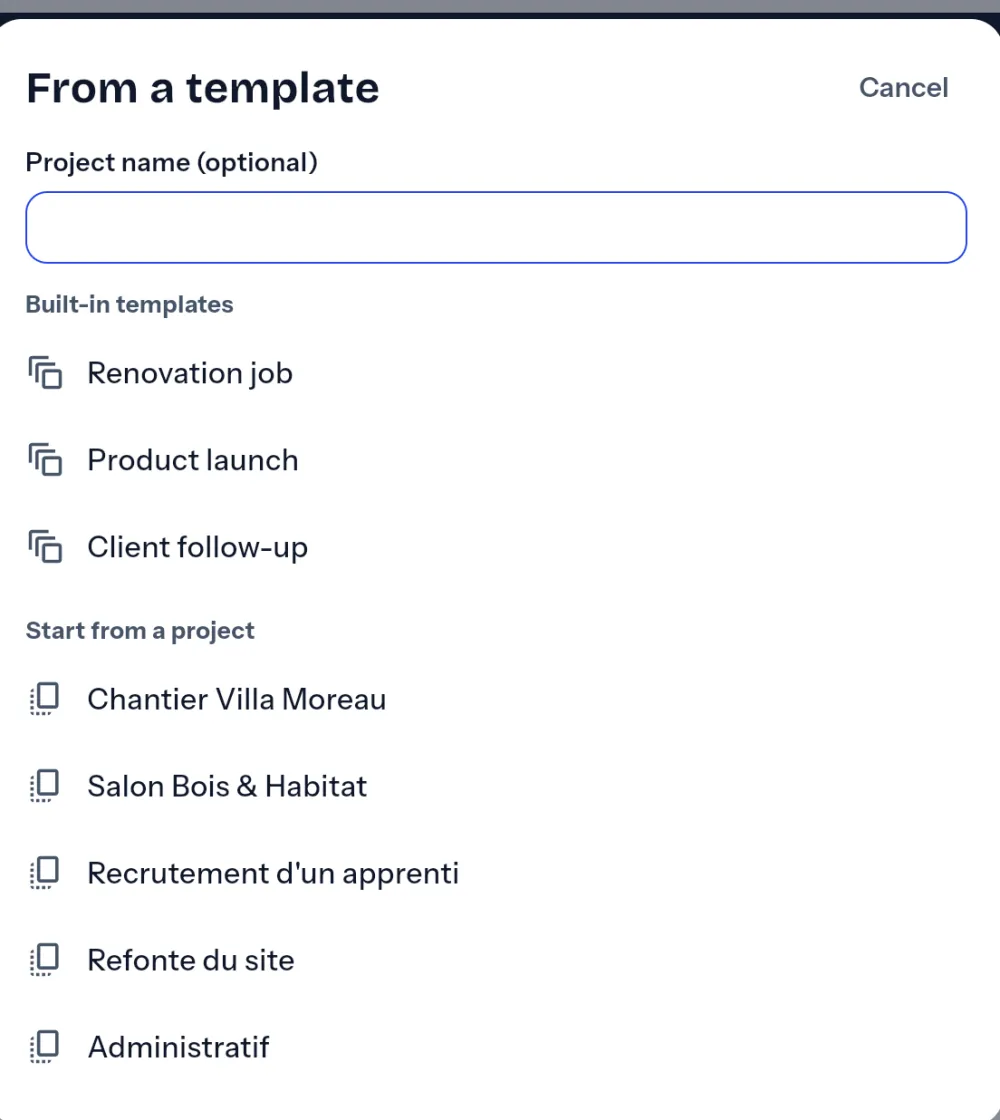
Attach a photo or a quote to a task. Duplicate a job, or start from a template: the dates shift by themselves.

A task: project, person in charge, date, button to attach a file, discussion.Creating a project from a supplied template or from an existing project.

The week’s Planner, and its review.

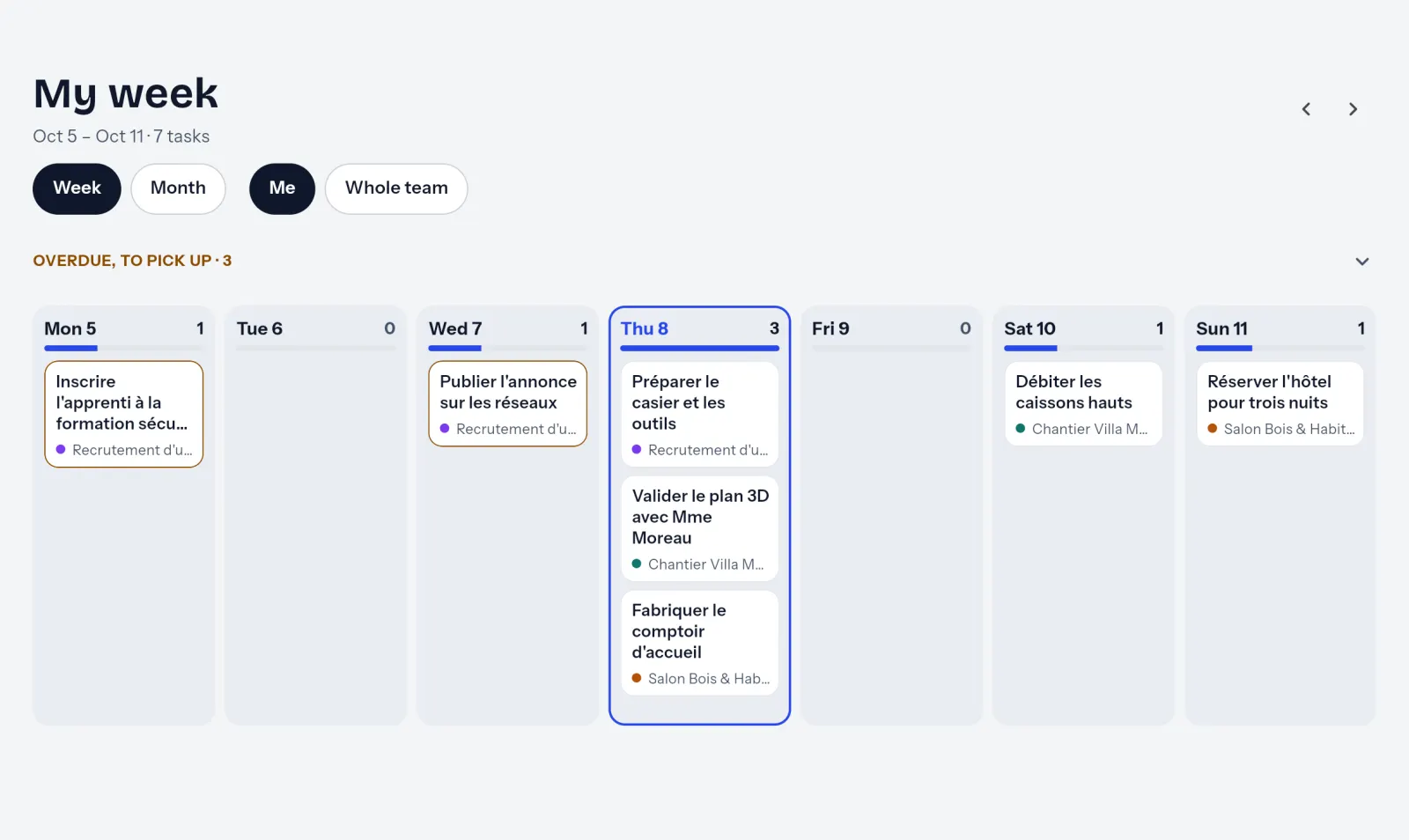
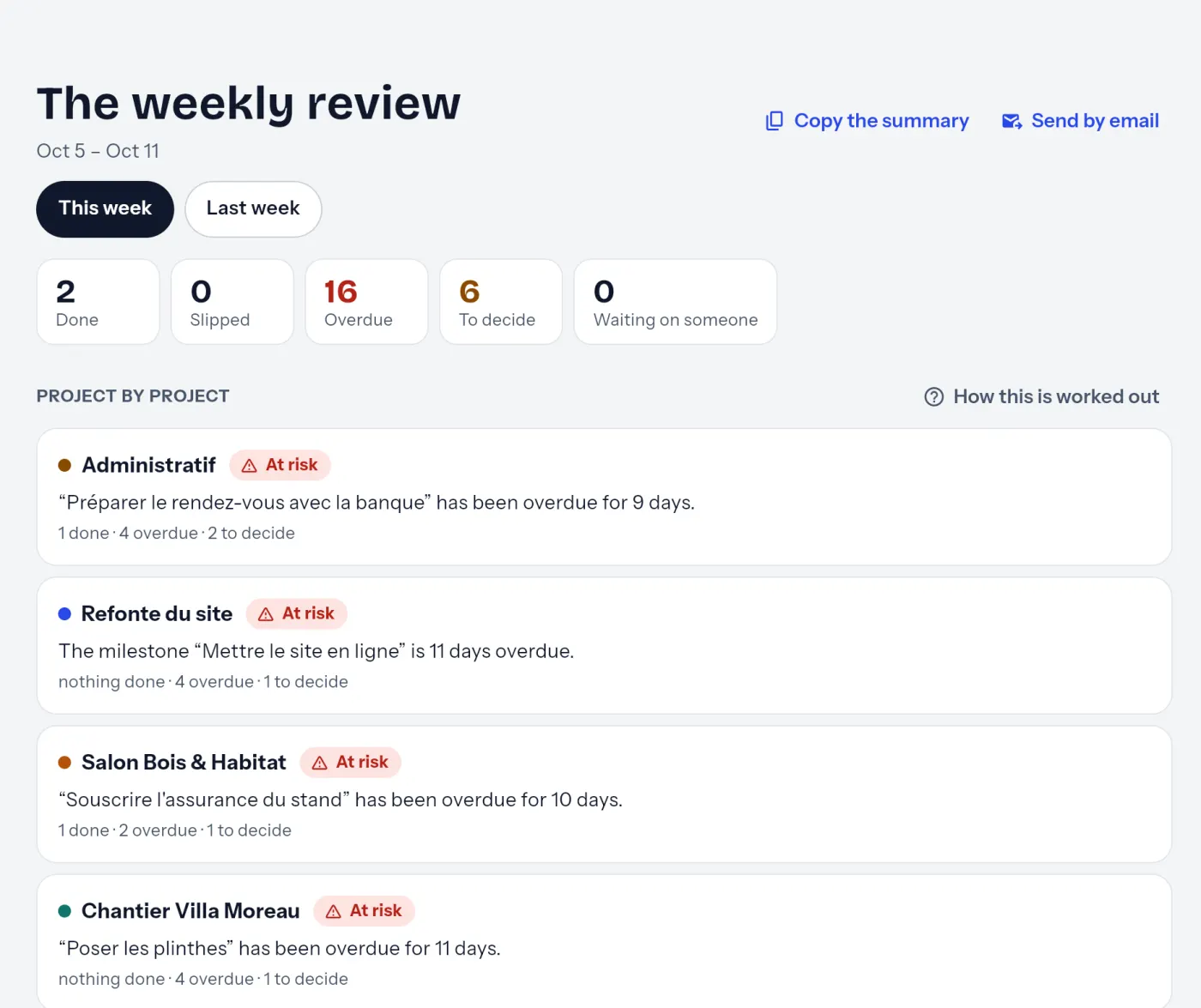
All the week’s tasks, across every project, for you or for the team. And a weekly review that says, project by project, whether it is on track or at risk, ready to send.

The week’s Planner, day by day, across all projects.The weekly review: five figures and a verdict per project.

Move from Trello, Asana or Notion without retyping anything.

Bring over your tasks from Asana, Trello, Todoist, Notion, ClickUp, monday.com, Jira or Microsoft Planner, or from a simple CSV or Excel file, phases included. Nothing is written until you confirm.

In all honesty

What’s ready. What isn’t.

Available today

  • Tasks, projects, phases, templates, and import from eight tools
  • Team, roles, readers and free contributors
  • Client follow-up: address book, deals, reminders
  • Email to a client from their record
  • Photos and documents on a task
  • Planner and weekly review
  • Web, iPhone, iPad and Android, in ten languages
  • Voice dictation, and your tasks in your calendar
  • Notifications; on a phone, what you do without a connection is sent once you are back online
  • Duo agent: follow-ups and summaries prepared overnight, for you to approve

In the works

  • Handing a task to an agent that does it
  • A full copy of your data on your phone, to look up everything without a connection
  • Sign in with Google or Apple on a phone

We give no dates: we would rather tell you when it is done.

Your tasks and your clients, in one place at last.

One tool for tasks, another to follow clients: for five people, the bill often goes over €100 a month, at the prices the companies display. PilotDuo brings both together in one subscription: €59.99 a month for five, VAT included.

Estimate based on public prices checked in October 2026, as displayed by the companies: one task tool and one client follow-up tool, each billed per person. VAT may be added depending on the company and the country.

The maths: a task tool and a CRM, or a single subscription.

Pricing

One price for the whole team. Not per person.

€599.99 a year for up to five people, €939.99 for up to ten, VAT included. Your invited readers, such as a client or an accountant, and your contributors do not take up a seat. Yearly or monthly subscription, from the app or the web.

Free

€0

no credit card needed

to get started

  • 1 project
  • 25 contacts
  • 1 GB of photos and documents
  • 30 AI actions a month

Solo

€109.99 per year · VAT included*

that is €90.90 excl. VAT

2 months free · that is €9.17 a month

or €10.99 a month if you pay monthly

for one person

  • Unlimited projects and contacts
  • Full client follow-up
  • Unlimited invited readers
  • Duo agent and 100 AI actions a month

Team

€599.99 per year · VAT included*

that is €495.86 excl. VAT

2 months free · that is €50 a month

or €59.99 a month if you pay monthly

up to 5 people who can edit

  • Everything in Solo, for the whole team
  • Roles, team workload, discussion
  • Unlimited free contributors
  • 1,000 AI actions a month

Team+

€939.99 per year · VAT included*

that is €776.85 excl. VAT

3 months free · that is €78.33 a month

or €109.99 a month if you pay monthly

up to 10 people who can edit

  • Everything in Team
  • 3,000 AI actions a month
Create my free workspace

Download on the App StoreGet it on Google Play

On the next screen, choose “Create my workspace”. The same account on computer, iPhone, iPad and Android.

* Prices in Belgium, VAT included (Belgian VAT: 21%); the store shows the price for your country. Cancel at any time. A 14-day free trial of the Team plan when you sign up, no credit card needed: at the end, your workspace goes back to Free, and you lose nothing.

What each plan includes · Compare with monday.com, Asana, Trello, Notion or Todoist

Questions

You have every right to be wary.

Does it work already?

Yes. PilotDuo is on sale on the App Store and Google Play, and works in a browser at app.pilotduo.com. Anyone can sign up, and the Free plan needs no credit card.

Do I need to train the team?

No. You write a task, you tick it off. A guide helps with the first steps, and the rest you discover as you work.

Where is my data?

Your tasks, clients and files are hosted in the European Union, in Frankfurt. When you use AI, and only after you agree, the text needed for the request is processed in the United States, without being stored there. The service providers involved, notably for notifications and payment, are listed in the privacy policy. Your data stays yours: you can export it or have it erased.

What about AI agents?

Duo, PilotDuo’s agent, is already here. Overnight, it prepares follow-ups for your clients and a summary of the decisions to make; nothing goes out without your approval. In its first week, it only shows you what it would have done. Handing it a task to carry out will come later.

Who is behind PilotDuo?

iClics SRL, a Belgian software company based in Wépion.

What happens at the end of the trial?

Your workspace goes back to Free on its own. Nothing is erased: anything beyond the Free limits stays readable. No credit card is needed for the trial.

I built PilotDuo for my own team, because our instructions kept getting lost in WhatsApp.

— Pablo, founder

Your first project is free.

Create your workspace, invite your team, and bring over your tasks from Asana or Trello along the way.

Create my free workspace

Download on the App StoreGet it on Google Play

On the next screen, choose “Create my workspace”. The same account on computer, iPhone, iPad and Android.